Use your Remarketing Audiences in AdWords
If you close a remarketing list in AdWords, that list no longer accumulates users, but it still serves ads.
Add your audience to an ad group
When you create a Remarketing Audience in Analytics, it is then available in the advertising account you selected. If you selected an AdWords account, then you need to add that audience to at least one of your ad groups before the users in that audience are eligible to see your ads. (Remember, your ad still needs to win the auction before anyone sees it.)
Create custom-combination lists
In AdWords you can use custom-combination lists to build sets of conditions from existing remarketing lists (including the Remarketing Audiences you created in Analytics), interest categories, and existing combinations of lists, and then display your remarketing ads to users who meet those conditions.
For example, if you wanted to remarket to people who had visited the product pages for your new hybrid car and whose web travels had also demonstrated an interest in hybrid vehicles, you could:
- Create a list in Analytics based on a Segment that identified users who viewed your hybrid-car pages.
- In AdWords, combine that list with users who fall into the interest category of Hybrid & Alternative Vehicles.
Link directly from Analytics to AdWords to create a campaign
The list of Remarketing Audiences contains a link for each audience to its respective AdWords account.
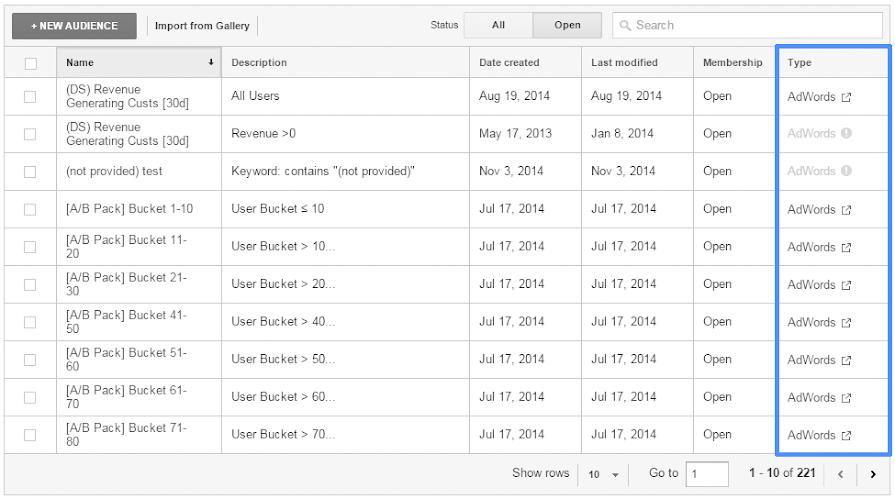
If your current Analytics login has access to the linked AdWords account, then the link in the table is active for you.
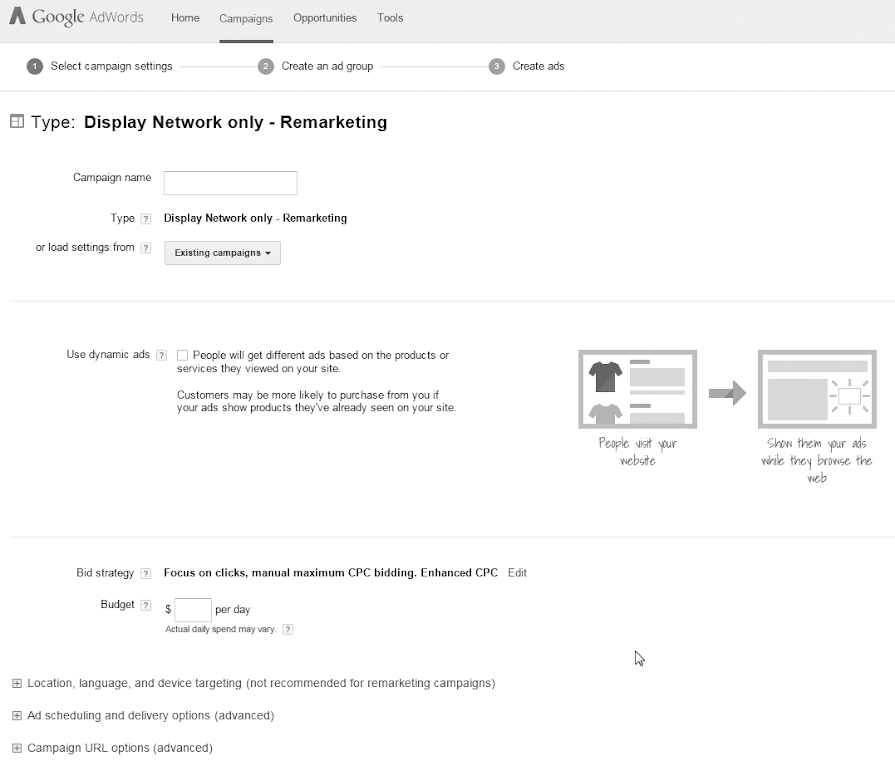
Click the link to start creating your AdWords campaign based on the Remarketing Audience:
Related resources
- Using custom-combination lists in AdWords
- Remarketing in AdWords
- Troubleshoot Google Analytics Remarketing issues
psst... Original Article

No comments:
Post a Comment